Lesson Objective
By the end of this lesson, you will understand how to use conditional statements to make decisions in your programs. You will be able to write if, elif, and else statements, use comparison and logical operators, and create programs that respond differently based on different conditions.
What You Will Learn
- The syntax and structure of if statements
- How to add alternative paths with else
- How to check multiple conditions with elif
- Comparison operators for evaluating conditions
- Logical operators for combining conditions
- Nested conditionals for complex logic
Required Knowledge or Tools
This lesson builds on all previous lessons. You should be comfortable with variables, data types, and basic operations. Understanding boolean values from Lesson 03 is particularly important for conditionals.
Concept Explanation
Conditional statements allow programs to make decisions. An if statement evaluates a condition, and if that condition is true, executes the code block that follows. The code block is defined by indentation, typically four spaces. If the condition is false, the code block is skipped.
The else clause provides an alternative path when the if condition is false. The elif clause, short for else if, allows you to check additional conditions in sequence. Python evaluates conditions from top to bottom and executes the first block whose condition is true.
Comparison operators produce boolean results. Equal to uses double equals, not equal uses exclamation equals, and the greater than, less than, and their or-equal variants work as you would expect from mathematics. Logical operators let you combine conditions: and requires both conditions to be true, or requires at least one, and not inverts a boolean value.
Why This Lesson Matters
Conditionals are what make programs intelligent. Without them, programs would simply execute the same instructions every time, regardless of circumstances. Conditionals enable programs to respond appropriately to different inputs, handle various situations, and make decisions that lead to meaningful outcomes.
Step-by-Step Guide
Step 1: Basic If Statement
Create a file called conditions.py:
age = 18

if age >= 18:
    print("You are an adult.")
    print("You can vote.")
Step 2: If-Else
Add an alternative path:
temperature = 15

if temperature > 25:
    print("It is warm outside.")
else:
    print("It is cool outside.")
Step 3: If-Elif-Else
Handle multiple conditions:
score = 85

if score >= 90:
    grade = "A"
elif score >= 80:
    grade = "B"
elif score >= 70:
    grade = "C"
else:
    grade = "F"

print("Your grade is " + grade)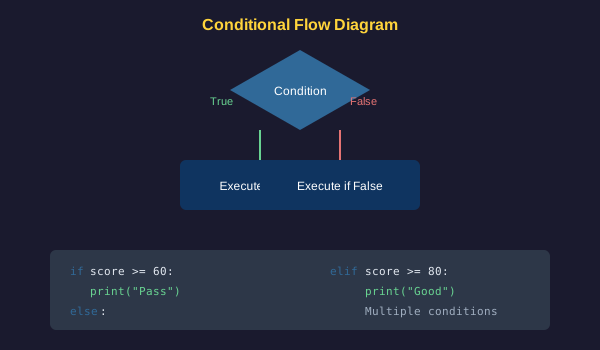
Common Mistakes
- Using a single equals sign for comparison instead of double equals
- Forgetting the colon at the end of if, elif, or else lines
- Incorrect indentation, which causes blocks to be associated with the wrong condition
- Using elif or else without a preceding if statement
- Creating conditions that can never be true due to logic errors
Practical Example or Scenario
Create a simple access control system:
username = "admin"
password = "secret123"
is_active = True

if username == "admin" and password == "secret123":
    if is_active:
        print("Access granted. Welcome, administrator!")
    else:
        print("Account is deactivated.")
else:
    print("Access denied. Invalid credentials.")
Lesson Summary
In this lesson, you learned how conditional statements enable programs to make decisions. You practiced using if, elif, and else to create branching logic. You understand comparison operators and how to combine conditions with logical operators. These decision-making capabilities are essential for creating responsive programs. In the next lesson, you will learn about loops to repeat actions.